Last Updated on 12 November 2023
Change or recover your Gmail account password
If you’ve forgotten your password, please follow these steps to reset it
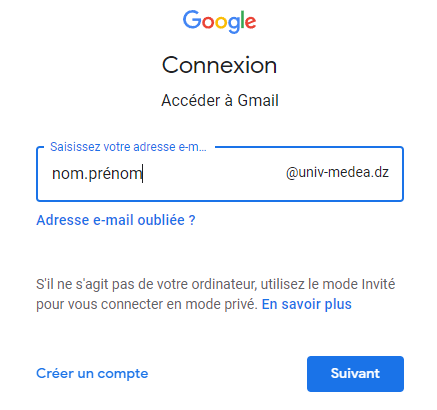
- First, enter your email address on the Gmail sign-in screen
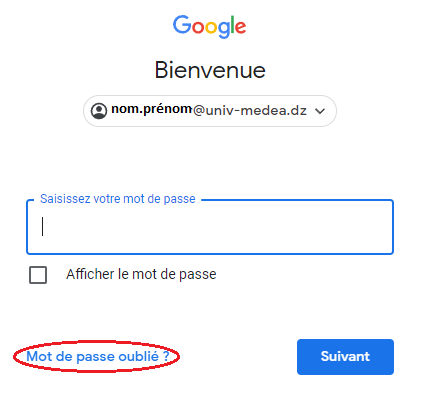
- Click Forgot your password
- Click Try another method
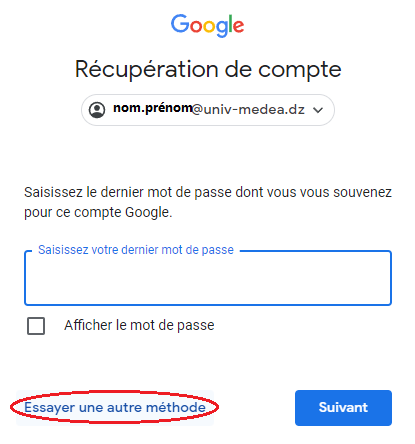
Depending on the information you entered in your Google Account recovery settings, you may be offered to send a validation code to your personal email or via SMS to your phone.
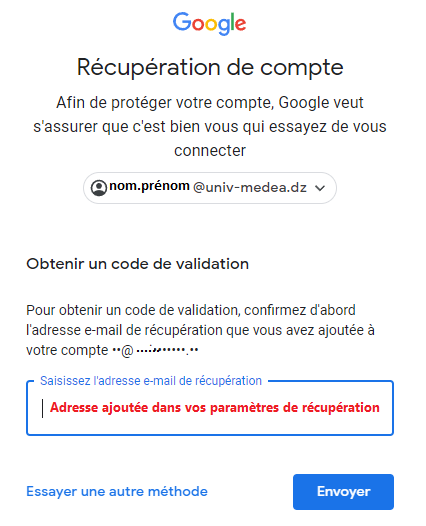
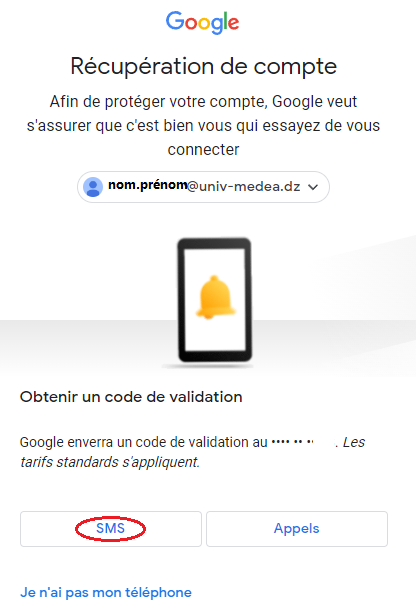
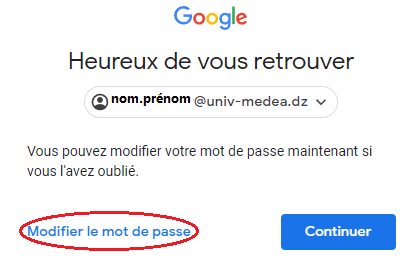
- Enter the code and, once it has been verified, click on Change password.
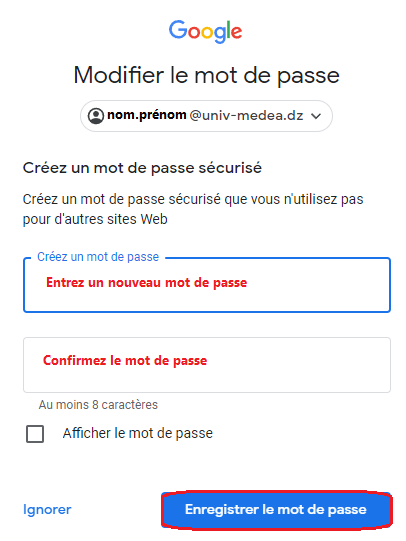
If you know your password and want to change it
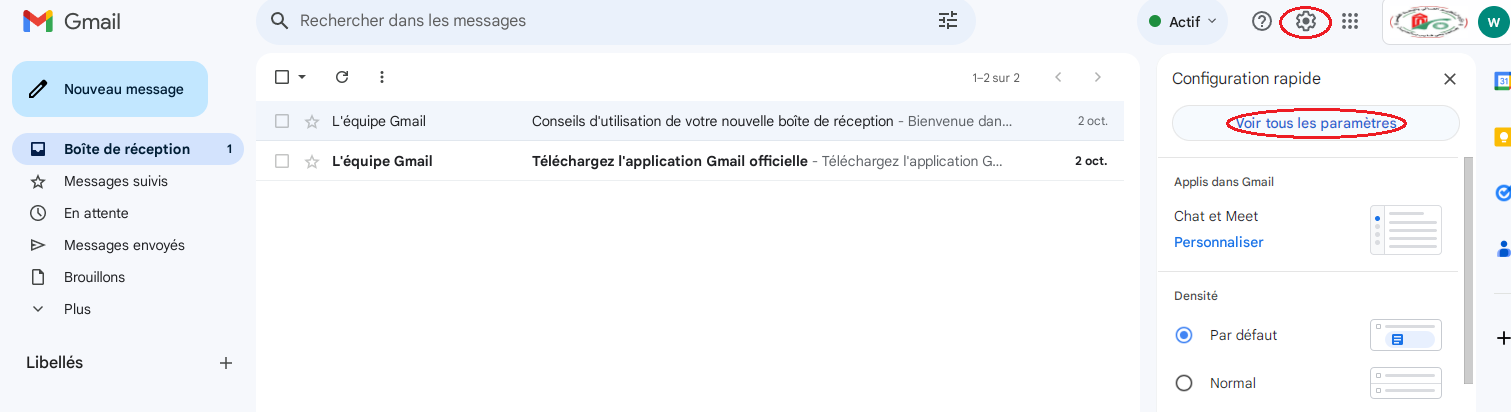
- Log in to your professional email then click on Settings/View all settings
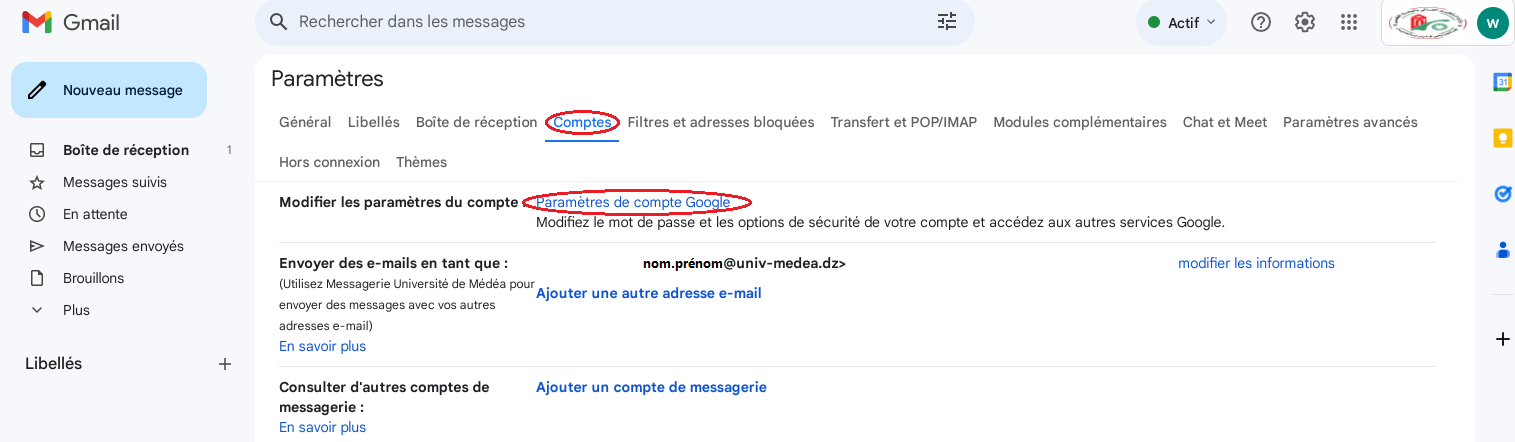
- Click on Accounts/google account settings
- Click on Security/Password
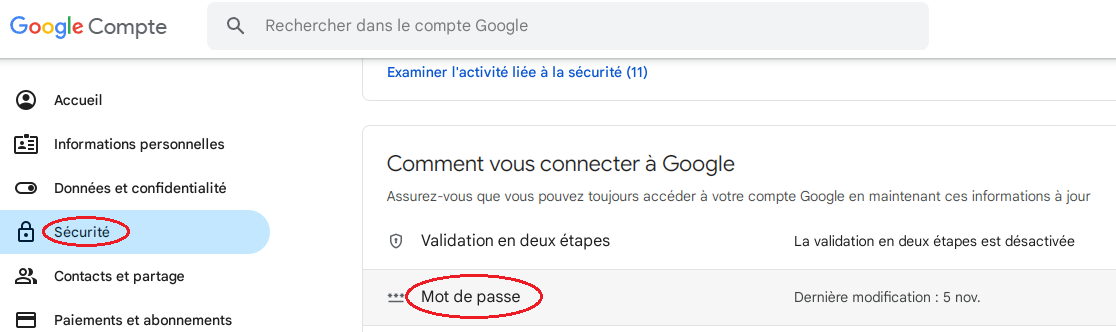
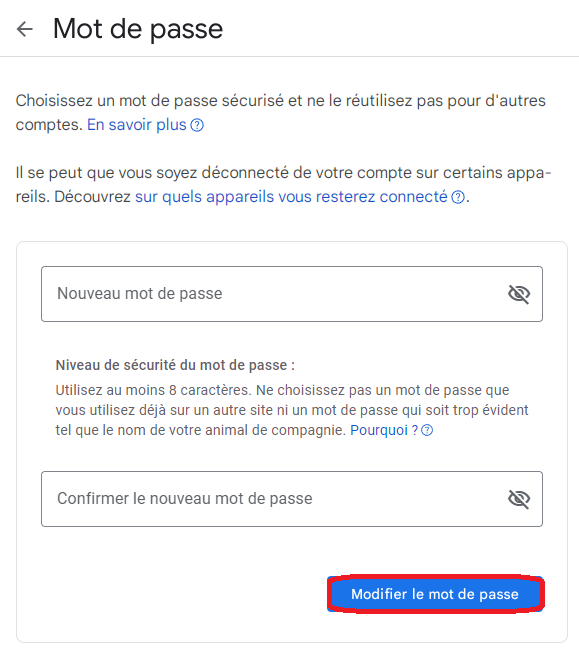
- Enter a new password and confirm it